
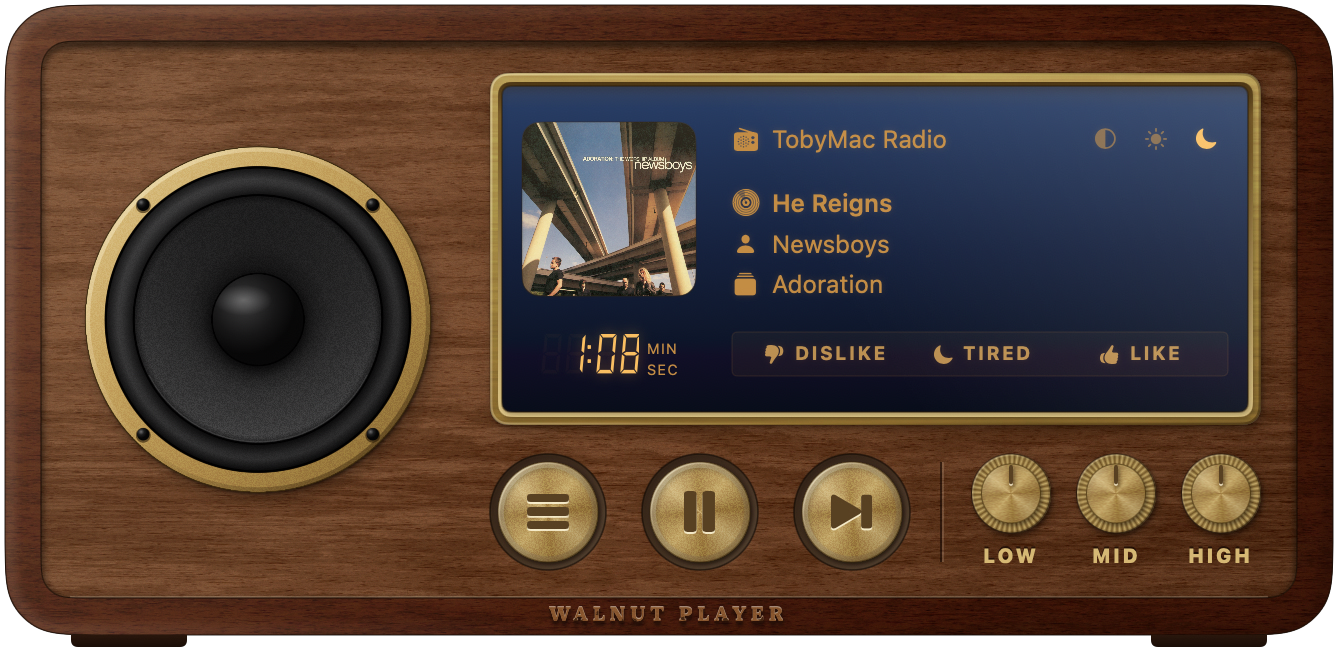
Built like the radio on the kitchen shelf
Every part of the window is something you can touch. It plays your Pandora stations and stays out of the way.
A speaker that listens
The cone and dust cap move with the bass, mids and treble of whatever is playing.
Brass buttons and knobs
Stations, play and skip on latching brass buttons. LOW, MID and HIGH knobs are a real three-band EQ; double-click one to reset it.
Day and night displays
A warm cream backlight by day, glowing amber on navy glass by night, or follow your Mac's appearance.
Your stations, tuned in
Turn the tuning scale through your stations, create new ones from an artist or song, rename them, and look back through your history.
Like, dislike, tired
Rate the song from the display. Click the song, artist or album to look it up.
At home on macOS
Media keys, notifications with album art, a menu bar mode, AppleScript, Last.fm scrobbling and automatic updates.
Getting started
- 1. Download
- Get the latest
Walnut-x.y.zipfrom the releases page and unzip it. - 2. Install
- Drag Walnut into your Applications folder and open it. It's signed and notarized, so macOS opens it without warnings.
- 3. Sign in
- Use your Pandora email and password. Walnut keeps them in your Mac's keychain.
Good to know
- Do I need a Pandora account?
- Yes. A free account works. Pandora is only available in the United States.
- Is it free?
- Yes, and open source under the MIT license.
- Where did it come from?
- Walnut is built on Hermes, the much-loved Pandora client for Mac, rebuilt for today's Macs with a new design.